FREE PUBLIC BETA / AUTO CAPTIONS FOR PREMIERE PRO · WINDOWS
Captions in one click, right inside Premiere.
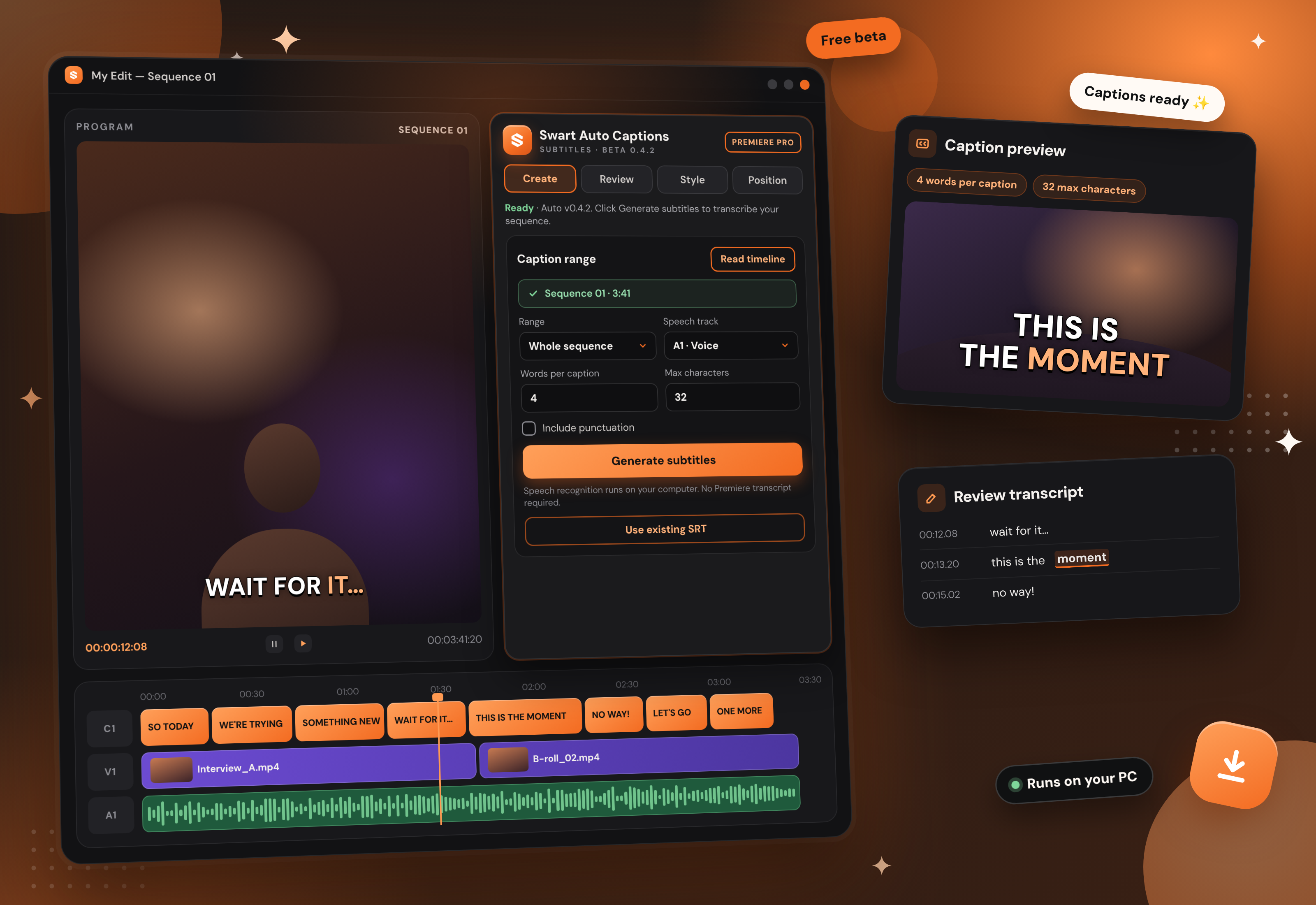
Swart Auto Captions is a panel for Adobe Premiere Pro that generates subtitles from your sequence automatically. Speech recognition runs on your computer, so there’s no Premiere transcript needed and your audio never leaves your PC.
Free during beta — will become part of the Swart Studio All Access subscription.
Swart Auto Captions 0.4.2 beta. Illustration; the panel may look slightly different.
What it does
Captions from your sequence. Read the timeline, then caption the whole sequence or just your In to Out range.
Pick the voice. Choose which audio track holds the speech to transcribe.
Captions the length you want. Set the words per caption and maximum characters, and switch punctuation on or off.
Review, style and position. Fix the transcript before it goes on your timeline, choose a look, font and animation, and place captions exactly where you want them.
Already have subtitles? Bring them in with Use existing SRT.
Runs on your PC. No Premiere transcript required, and no audio or transcripts are uploaded.
How it works
01 Enter your email.
02 Get your download.
03 Run the installer, then open the panel in Premiere.
Installing the beta
Extract the whole zip to a normal folder (don’t run it from inside the zip), save your work and close Premiere.
Double-click Install.cmd and keep the window open until it says it’s finished.
In Premiere, choose Window › Extensions › Swart Auto Captions (on some versions it’s under Extensions (Legacy)).
The first install needs an internet connection. It downloads the speech engine and model (several hundred MB), so allow about 1 GB of free space.
Version 0.4.2 beta · Windows · Adobe Premiere Pro. Built for 64-bit Windows 10/11 and Premiere Pro 2026 (26.x); there’s no Mac version yet. This is a beta, so speech recognition can mishear names or noisy audio. Always review your captions before you deliver. Swart Auto Captions is made by Swart Studio and isn’t affiliated with or endorsed by Adobe.
ALL ACCESS / SUBSCRIPTION COMING SOON
Free now. All Access later.
Swart Auto Captions is free while it’s in beta. When the Swart Studio All Access subscription launches, it’ll be part of it. Tick the box when you sign up to hear about it first. More tools, plugins and motion graphics are on the way. Create. Learn. Grow.